
The Hidden Bottleneck in Your Network Might Not Be Your Internet Connection
Posted by Gordon R. on 18th Nov 2026
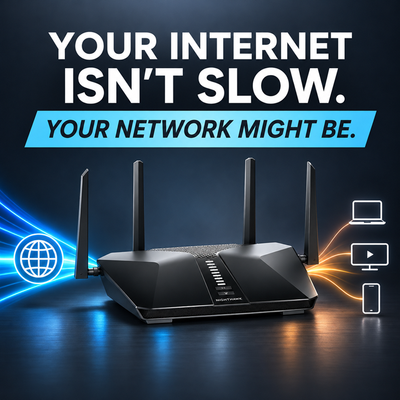
You've upgraded your internet plan, your provider promises impressive speeds, and your speed tests seem perfectly fine. Yet video calls still freeze, websites occasionally take forever to load, and streaming services buffer at the worst possible moments. So, what's going on? The problem might not be your internet connection at all. It could be something happening inside your own network. Your router, Wi-Fi environment, connected devices, and even the cables connecting everything together can introduce bottlenecks that prevent you from getting the performance you're paying for. Before spending more money on a faster internet plan, it's worth understanding where your network might actually be slowing down.
Internet Speed and Network Performance Aren't the Same Thing:
When most people think about internet performance, they focus on download and upload speeds. While bandwidth is important, it only tells part of the story. Your network also depends on latency, jitter, and packet loss, all of which affect how quickly and reliably information travels between devices. Latency measures how long data takes to travel between two points, while jitter describes variations in that timing. Packet loss occurs when data fails to reach its destination, potentially causing interruptions or retransmissions. For example, you could have a 500 Mbps internet connection but still experience poor video calls or sluggish gaming if your network suffers from excessive latency or packet loss. A fast connection doesn't necessarily mean a responsive one, especially when the equipment distributing that connection isn't performing as it should.
Your Router Could Be Holding Everything Back:
Your router is responsible for directing traffic between your devices and the internet, but not all routers are created equal. Older or lower-end models may struggle to process high-speed connections, manage numerous active devices, or handle features such as VPN encryption and advanced firewall filtering. As more smartphones, computers, security cameras, smart TVs, and IoT devices connect to your network, the router has more traffic to manage. While simply having many devices connected doesn't automatically slow things down, simultaneous activity can create congestion and expose hardware limitations. Even if your internet provider delivers the speeds you're paying for, an outdated router could prevent your devices from taking full advantage of them. Sometimes replacing aging networking equipment can make a bigger difference than upgrading your internet service.
Wi-Fi Interference: The Invisible Traffic Jam:
Wi-Fi is convenient, but it operates in a shared wireless environment where interference and congestion can significantly affect performance. In neighborhoods, apartment buildings, and offices, multiple wireless networks often compete for the same channels. Devices operating on the same channel must share available airtime, which can reduce throughput as network activity increases. Physical obstacles such as walls, floors, metal structures, and even furniture can also weaken wireless signals. Router placement makes a difference, too. A router tucked inside a cabinet or positioned at one end of a building may struggle to provide consistent coverage throughout the space. The frequency band you're using also matters. The 2.4 GHz band generally provides better coverage through obstacles but often experiences more interference, while 5 GHz and 6 GHz can offer greater capacity under favorable conditions, typically at the expense of coverage. Proper router placement, channel selection, and compatible antenna configurations can help improve wireless performance without changing your internet plan.
Sometimes It's Something as Simple as a Cable:
Wired connections are generally more consistent than Wi-Fi, but they aren't immune to bottlenecks. An older network switch, damaged Ethernet cable, or improperly negotiated connection can limit performance even when everything else is working correctly. For example, if your internet connection provides 500 Mbps but your computer is connected through a 100 Mbps Ethernet port, that connection becomes a bottleneck. Similarly, a damaged cable may cause a Gigabit Ethernet link to negotiate at a lower speed or experience errors. This doesn't mean you need to replace every Ethernet cable with the latest category available. Properly installed Cat5e cabling can support Gigabit Ethernet over standard channel distances, making it more than adequate for many home and small business networks. Before replacing cables or equipment, check the negotiated link speeds on your router, switches, and connected devices. You might discover that a relatively inexpensive component is responsible for a surprisingly large performance problem.
Your Devices Might Be Part of the Problem:
Sometimes the network is working exactly as intended, but the device you're using simply can't keep up. Older laptops, smartphones, and tablets may have outdated Wi-Fi adapters, limited processing power, or hardware that doesn't support newer wireless standards. Background applications, automatic updates, cloud backups, and security software can also consume network resources without being immediately noticeable. If one computer consistently struggles while another performs perfectly on the same network, the issue may be specific to that device rather than your internet connection. Comparing performance across multiple devices is one of the easiest ways to narrow down the source of a problem before making unnecessary upgrades.
Cellular Networks Have Their Own Hidden Bottlenecks:
For homes and businesses relying on 4G LTE or 5G routers, network performance introduces another set of variables. Unlike traditional wired connections, cellular performance depends heavily on radio frequency conditions, including signal strength, signal quality, interference, and network congestion. A router might display a strong cellular signal while still delivering disappointing speeds because signal strength alone doesn't determine connection quality. Measurements such as Reference Signal Received Power (RSRP), Reference Signal Received Quality (RSRQ), and Signal-to-Interference-plus-Noise Ratio (SINR) can provide a more complete picture of the RF environment. Poor antenna placement, excessive coaxial cable loss, or an improperly configured MIMO antenna system can also limit performance. In some cases, installing a properly selected external cellular antenna can improve signal quality and help the modem maintain more favorable operating conditions. However, even an excellent antenna installation cannot eliminate congestion at the cellular tower or bypass bandwidth limitations imposed by the carrier.
How to Find the Bottleneck Before Spending More Money:
Before upgrading your internet service or replacing networking equipment, a few basic troubleshooting steps can help identify where performance is being lost.
- Run a baseline speed test. Compare your measured download and upload speeds with what your internet provider advertises. Repeat the test at different times to identify potential congestion or performance fluctuations.
- Compare Ethernet and Wi-Fi. Connect a computer directly to your router using Ethernet and compare the results with a wireless connection. A significant difference may indicate a Wi-Fi-related limitation.
- Check your networking equipment. Verify that your router, switches, and Ethernet ports support the speeds you're trying to achieve.
- Test multiple devices. If only one device experiences problems, investigate its hardware, software, and network adapter before blaming the entire network.
- Evaluate wireless signal conditions. Check router placement, Wi-Fi interference, and signal quality. For cellular routers, examine RF measurements such as RSRP, RSRQ, and SINR.
These tests won't identify every possible networking issue, but they can help narrow down the problem and prevent unnecessary spending.
When Better Antennas Can Make a Difference:
Antennas are an important part of wireless networking, but their effectiveness depends on what's actually limiting performance. For Wi-Fi networks, compatible external antennas can sometimes improve coverage or wireless link quality, particularly in environments with challenging building layouts or installation requirements. For cellular routers, properly selected directional or omnidirectional antennas can improve RF conditions by providing more suitable gain, placement, or coverage characteristics. However, antenna selection involves more than simply choosing the highest gain available. Frequency compatibility, polarization, MIMO configuration, coaxial cable losses, and mounting location all influence the results. A higher-gain antenna won't automatically produce faster internet speeds, and an antenna cannot increase the bandwidth your provider makes available. What a properly designed antenna installation can do is improve the wireless link, potentially allowing your equipment to use more of the available connection capacity. At AntennaGear, we offer cellular and Wi-Fi antenna solutions designed to help users improve connectivity across a wide range of routers, gateways, and networking applications.
What This Means for You
When your internet feels slow, upgrading to a faster plan might seem like the obvious solution, but it isn't always the right one. Your connection is only as effective as the network delivering it to your devices. An outdated router, congested Wi-Fi channel, limited Ethernet connection, or poorly positioned cellular antenna can all prevent you from getting the performance you expect. The key is identifying where the bottleneck occurs before deciding what needs to change. Sometimes the answer is better equipment, sometimes it's improved antenna placement, and sometimes it's simply adjusting a few network settings. A little troubleshooting can save you money, improve reliability, and help you get more out of the internet connection you already have.