
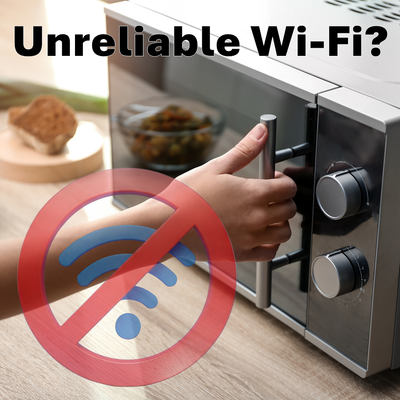
Unreliable Wi-Fi? Your Microwave Might Be to Blame
Posted by Gordon Reed on 31st Mar 2026
A Frustrating but Explainable Problem:
If you have ever noticed your Wi-Fi slowing down or cutting out entirely when the microwave is running, you are not imagining it. This is one of the most common real-world interference issues in wireless networking, and it is rooted directly in how radio frequency systems share spectrum.
The good news is that once you understand why it happens, it becomes much easier to fix.
The Shared Spectrum Problem:
Wi-Fi operates in several frequency bands, but one of the most widely used is the 2.4 GHz Industrial, Scientific, and Medical band.
This same band is also used by microwave ovens.
Typical Wi-Fi channels in the 2.4 GHz range span from approximately 2.400 GHz to 2.4835 GHz. Microwave ovens, on the other hand, generate energy centered around 2.45 GHz. That places them directly inside the same frequency space as your Wi-Fi network.
Because this spectrum is unlicensed, multiple devices are allowed to operate within it. The tradeoff is that interference becomes a real and unavoidable factor.
Typical home internet routers and most routers in general transmit Wi-Fi at a maximum of 1 watt. Usually much less than that. A microwave can have an output power ranging from 800 to 1200 watts. Once you consider the power differences, it starts to become evident how a microwave that is poorly designed or has faulty shielding can easily overpower any home Wi-Fi network.
How a Microwave Oven Generates RF Energy:
Inside every microwave oven is a component called a magnetron. This device produces high-power RF energy at approximately 2.45 GHz.
That energy is used to excite water molecules in food, causing them to vibrate and generate heat.
While microwave ovens are shielded to prevent harmful radiation from escaping, they are not perfectly sealed RF environments. Small amounts of energy leakage are allowed within regulatory limits.
From an RF perspective, this leakage behaves like broadband noise centered around the same frequency band used by 2.4 GHz Wi-Fi.
What Happens to Your Wi-Fi Signal:
When your microwave is running, it raises the noise floor in the 2.4 GHz band.
This directly impacts your Wi-Fi performance in several ways:
- Reduced Signal-to-Noise Ratio (SNR)
- Increased packet errors and retransmissions
- Lower modulation and coding schemes (MCS)
- Higher latency and reduced throughput
Even if your Wi-Fi signal strength is good, a higher noise floor makes it harder for devices to correctly decode the signal.
The result is what most users experience as slow speeds, buffering, or complete dropouts.
Why 5 GHz and 6 GHz Networks Are Not Affected:
Modern Wi-Fi standards also operate in 5 GHz and 6 GHz bands.
These frequencies are far removed from the 2.45 GHz energy produced by microwave ovens. Because there is no spectral overlap, microwaves do not create the same interference issues in these bands.
This is one of the main reasons why dual-band and tri-band networks offer a significant performance advantage in real-world environments.
Why Doesn't it Happen All the Time?
Your Wi-Fi doesn’t stop all the time when the microwave is on, it kind of goes on and off. It cycles.
That’s because the microwave is turning its power on and off really fast while it cooks your food. So it’s like someone making a lot of noise, but only in bursts.
At the same time, your Wi-Fi is trying really hard to keep working. When it misses something, it quickly tries again.
Because both of these things are happening, your Wi-Fi doesn’t completely stop, it just works, then struggles, then works again.
Factors That Make Interference Worse:
Not every setup experiences the same level of disruption. Several environmental and system factors can amplify the problem:
Proximity
The closer your router or client device is to the microwave, the stronger the interference.
Antenna Type and Placement
Omnidirectional antennas receive signals from all directions, including unwanted noise sources. Poor placement can increase susceptibility.
Building Materials
Metal surfaces, appliances, and dense materials can reflect RF energy, creating multipath interference and compounding the issue.
Device Limitations
Older devices operating on 2.4 GHz with lower transmit power are more vulnerable to interference.
How to Fix It: Practical Solutions:
Replace Your Microwave
This may seem a bit simplistic, but often the issue is caused by a poorly shielded microwave or the microwave has damaged shielding.
Move Critical Devices to 5 GHz or 6 GHz
If your router and client devices support it, prioritize higher frequency bands. This is the most effective solution.
Improve Router Placement
Keep your router away from the kitchen and major appliances. Elevate it and position it centrally for better coverage.
Optimize Channel Selection
Use non-overlapping channels such as 1, 6, or 11. Depending on your environment, shifting channels can reduce overlap with microwave emissions.
Upgrade Your Antenna System
Improving your antenna setup can increase your effective signal strength relative to noise.
- Higher gain antennas improve link budget
- Directional antennas can reduce exposure to interference sources
- Proper placement helps maintain stronger, cleaner signals
Upgrade Your Hardware
Ensure your devices support modern Wi-Fi standards and dual-band or tri-band operation.
When It Might Be More Than Just Interference:
If your Wi-Fi completely collapses every time the microwave runs, it may indicate excessive RF leakage.
This can happen if the microwave door seal is damaged or the unit is aging.
Testing with a different microwave or relocating your router can help isolate the issue.
What This Means for You:
Wi-Fi interference from microwaves is not a flaw in your network, it is a predictable result of shared spectrum in the 2.4 GHz band.
The most obvious fix for this is to replace a faulty microwave, but if that is not an option use the higher frequency Wi-Fi bands like 5, 6 or 6e.
In RF environments where noise is unavoidable, the strength and quality of your antenna system play a critical role in maintaining reliable connectivity.